alright follow these steps and you good to go 
mounting sd card via command prompt (via adb)
1) go to your's phone's file manager
2) create a folder named external_sd in /sdcard/ (you have to make this folder to mount sd card in /sdcard/ !!!
3) inject this command in cmd (adb)
and done enjoy ......

mounting sd card via terminal (terminal file added for newbies )
)
first do step 1 and 2 above .
then inject this code in terminal
after mounting sd card to /sdcard/external_sd
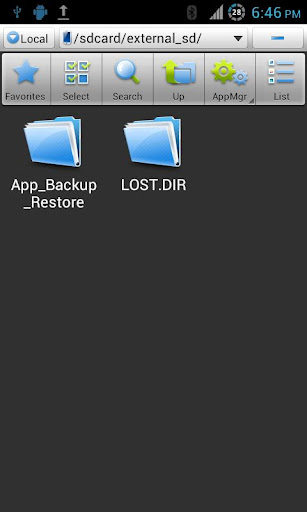
done ......... enjoy
mounting sd card via command prompt (via adb)
1) go to your's phone's file manager
2) create a folder named external_sd in /sdcard/ (you have to make this folder to mount sd card in /sdcard/ !!!
3) inject this command in cmd (adb)
Code:
su
mount -o bind /mnt/emmc /sdcard/external_sd

mounting sd card via terminal (terminal file added for newbies
)first do step 1 and 2 above .
then inject this code in terminal
Code:
busybox mount --bind /mnt/emmc /mnt/sdcard/external_sd
done ......... enjoy


